Voice Changer with Built-in Cloud – Take Projects With You
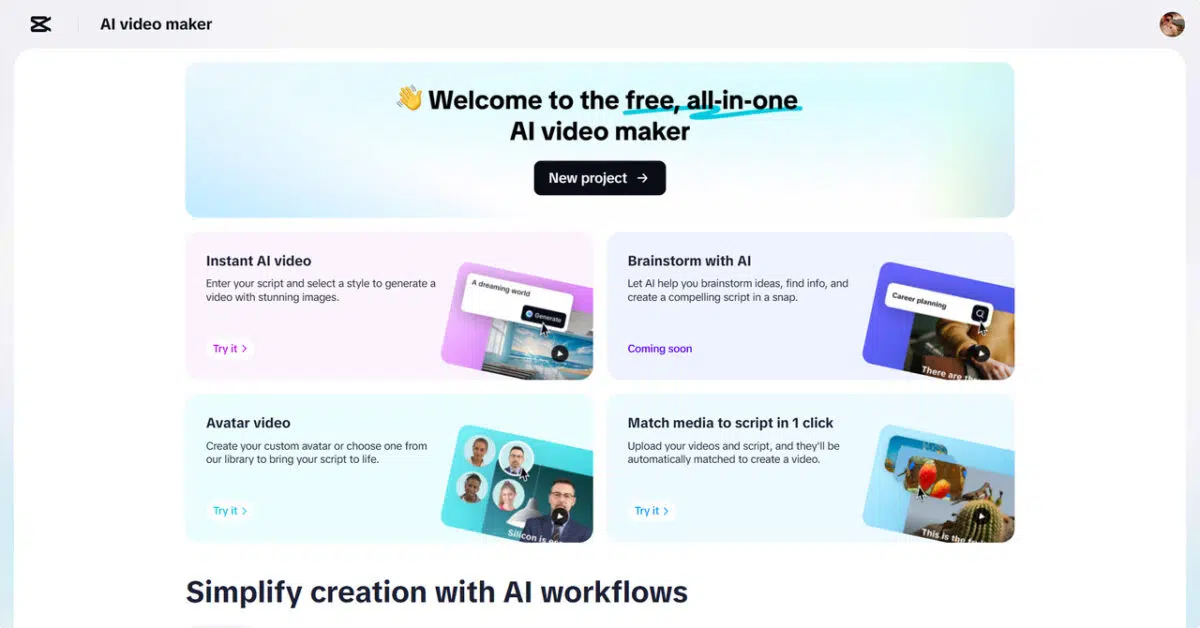
This post was created by Capcut
In recent years, voice editing software has gained popularity. The growing need for remote workflows has led to the development of agile and rapid platforms. They desire to edit and manage their content at any time and from any place, which is why creators, freelancers, and teams are currently seeking tools that enable them to do so. CapCut Web fulfills this need by having an in-built cloud-based AI video editor. This is a game-changer feature that redefines the way you do voice and video editing in a mobile environment.
The Strength of Internal Cloud Storage
CapCut Web features seamless cloud integration, making editing even easier. When you log in, you have access to 5 GB of free cloud storage space. It is a great place to work, with various projects, and it eliminates local file clutter. It is possible to upload voice and video files, edit them, and go back to them later using any device.
All your work is secure and stored in a well-organized cloud storage. You can get all you need, whether you’re editing at home, in a studio, or on the go. Synchronization is automatic. You cannot lose progress because you switch from a laptop to a phone. This versatility will give you complete freedom to create and edit your content.
Advantages of Remote Project Accessibility
One of the strongest aspects of CapCut Web is remote accessibility. You are not bound to any particular location; you can be working on voice or video projects collaboratively. Your progress is automatically saved, ensuring you won’t lose it. In a single dashboard, you can view all your active, completed, and upcoming projects.
This dashboard will help simplify your work process and enable real-time editing. You won’t have to lug files through storage devices or email them thousands of times. Your cloud workspace stores your work safely and keeps it ready for the next creative action.
Simple Multi-Device Workflow
CapCut Web is compatible with all browsers, including desktop and laptop computers, as well as mobile devices. You can start where you left off because the platform remembers your last edit. No matter where you are — whether commuting, working remotely, or switching between devices — your editing environment remains consistent.
The script-to-voice, avatars, and real-time voice editing AI features are available at all times. There is no one machine that you are restricted to. Instead, you find a mobile-first experience that enables a convenient lifestyle. This allows you to bring your content to life and experiment with tools much more easily wherever inspiration strikes you.
Project Privacy and Cloud Security
Online editing has top priority for security. In CapCut Web, your files are protected through encrypted cloud storage. The visibility settings can be used to control who sees your projects. Whether you want to make files confidential or publicly available to specific people, it is your decision. It becomes safe and easy to share projects with clients or team members. The platform ensures a privacy-first experience, minimizing the risk of data leakage. Your files remain in a secure system every time you edit or upload.
The Cloud Age of AI Voice Editing
CapCut Web has ushered in a new era of voice editing. It is now possible to use voice effects and filters directly in the cloud. No software is needed, and no bulky files are downloaded. The site operates in real-time. The text to audio free features are also accessible throughout your workflow to create a voice immediately. This versatility enables you to experiment with styles, moods, and tones without interruption. Effectively edit podcasts, vlogs, or animated materials, simply with your browser. As soon as you implement your changes, the changed audio is ready. You can also preview your edits before downloading. This is achieved without leaving your browser, saving both time and space.

Discover the Power of Voice Changer
CapCut Web has a voice changer that optimizes your editing process. Using it, you can talk like a robot, a child, or any character voice. Whether you’re creating content for social media, podcasts, or animations, these voice effects bring personality to your work.
This tool also allows you to experiment with gender changes, accents, or pitch shifts. If you want to prank friends, protect your identity, or build engaging narratives, the voice changer is the ideal tool. It brings versatility to your creative process while keeping your content fresh and unique.
Edit and Access Audio Projects with Cloud Flexibility
Step 1: Upload your audio or video To begin, click the “Try for free” button and launch CapCut Web’s voice changer. Whether you’re on your laptop at work or using a tablet from home, upload your file by dragging it into the cloud-supported area or by clicking the “Select file” button. You can work with videos or audio clips that are under 50 MB and 15 minutes in length. Want to capture something fresh? Hit “Start recording” and store it right into your project’s cloud folder for instant use.
Step 2: Apply the AI voice effect Now that your file is stored and ready, explore the cloud-integrated interface on the right-hand sidebar. CapCut Web offers AI-powered voice filters including male, female, kid, or fantasy characters. You can customize voices by selecting different languages, accents, or even adjusting vocal tones to fit the tone of your project, whether serious or playful. Tap “Done” once you’ve fine-tuned your choice.
Select a voice style from the library and preview your selection by hitting the “Preview 5s” button. This lets you hear a quick snippet and tweak it if needed. When satisfied, click “Generate” to apply the voice transformation to your uploaded file, which remains securely accessible via cloud wherever you go.
Step 3: Download or export the edited file Your file is now edited and saved in the cloud for easy retrieval. Use the right panel to choose between “Audio only” or “Audio with captions” based on what your content demands. For collaborative editing or final tweaks, click “Edit more” to re-enter the project—no matter where you’re working from.
Conclusion
Cloud-based voice changing has revolutionized content creation. It provides unmatched flexibility, privacy, and speed. CapCut Web empowers you to edit smarter and stay mobile without sacrificing quality. The future of AI-driven, cloud-native voice editing has already arrived. Tap into its full potential and bring your ideas to life from anywhere.
This content was produced independently from the Worldcrunch editorial team.